You've finished the tutorials. You can write loops, fetch data, maybe build a component or two. Then you open a blank editor and realize the hard part isn't syntax anymore. It's deciding what to build that proves you can work like an engineer.
That's the gap most beginners hit. A resume can list JavaScript, Python, React, or Flask, but startup hiring managers don't hire lists of technologies. They hire people who can ship, explain trade-offs, and turn an idea into something another person can use. That's why beginner coding projects matter so much. They turn abstract learning into visible evidence.
A widely cited benchmark in entry-level hiring is that three to five finished, well-documented projects are enough for most entry-level applications, which is why a small, polished portfolio usually beats a folder full of half-finished experiments, as noted in Dataquest's project guidance for beginners to advanced learners. That's the standard I'd use if you're aiming for startups.
The projects below aren't just beginner-friendly. They map to the signals startup teams care about: product judgment, API work, data handling, interface quality, debugging discipline, and the ability to finish. If you're also thinking about distribution and validation later, it helps to understand how to crowdfund your app so you're building with real users in mind from the start.
A personal portfolio website is still the most impactful first project because it becomes the wrapper around every other project you build. Recruiters and engineering managers will forgive a simple design. They won't forgive a messy presentation, missing links, or vague descriptions of what you did.
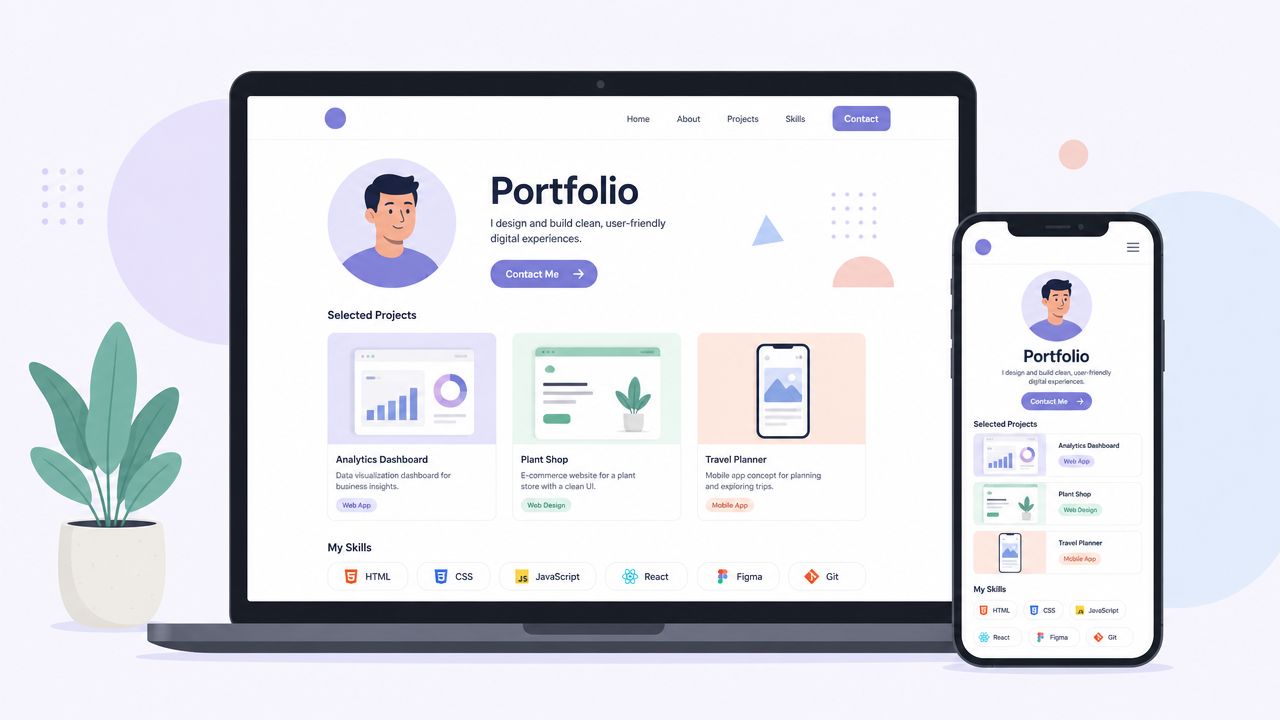
Use GitHub Pages if you want the fastest path. Use Next.js on Vercel if you want to show a modern frontend stack. Either is fine. What matters is that the site loads fast, works on mobile, and makes it obvious what you built, why you built it, and where to click.
Most beginners make the same mistake here. They treat the portfolio like a biography instead of a product. A startup hiring manager wants a sharp scan: strongest projects, short explanations, live demos, GitHub links, and one clear way to contact you.
Include:
If you want a practical hiring perspective, Underdog's guide on getting a job in software engineering is a useful companion to this project because it lines up with how candidates are evaluated in real hiring funnels.
Practical rule: Your portfolio homepage should answer three questions in under a minute: What can you build, how do you think, and how can someone contact you?
A good portfolio doesn't need clever animation. It needs clarity. In startup hiring, that wins more often.
The to-do app is common because it deserves to be common. It teaches the parts of software work that show up everywhere: creating data, updating it, deleting it, persisting it, and reflecting all of that in the interface without breaking the experience.
Startup teams also like this project because it reveals whether you understand product scope. A basic version can be built quickly. A better version shows prioritization. Can you start with local state, then add local storage, then add categories, then polish interactions without overengineering it?
Start with a tight feature set: add a task, edit it, mark it complete, delete it, and keep it after refresh. That already demonstrates meaningful frontend thinking. If you're using React, Vue, or Svelte, make the interactions feel clean before reaching for a backend.
Then add one or two product-minded improvements:
Community guidance on beginner coding projects often recommends concrete builds like calculators, to-do lists, web scrapers, and countdown timers because each one exercises a different primitive, while broader beginner advice also points people toward tools such as NumPy, Pandas, Requests, and Flask or Django for real-world problem solving, as discussed in the GitHub Community discussion on beginner project ideas.
For a career arc beyond the project itself, Underdog's piece on becoming a full-stack developer fits naturally here because a to-do app is often the first clean bridge from frontend work into persistence and backend logic.
The weak version of this project is a clone with no opinion. The strong version feels like a small product somebody would keep open in a browser tab.
A weather app is where many beginners first learn that outside services are messy. APIs fail. Cities return ambiguous results. Loading states matter. Units confuse users. That's why it's useful.
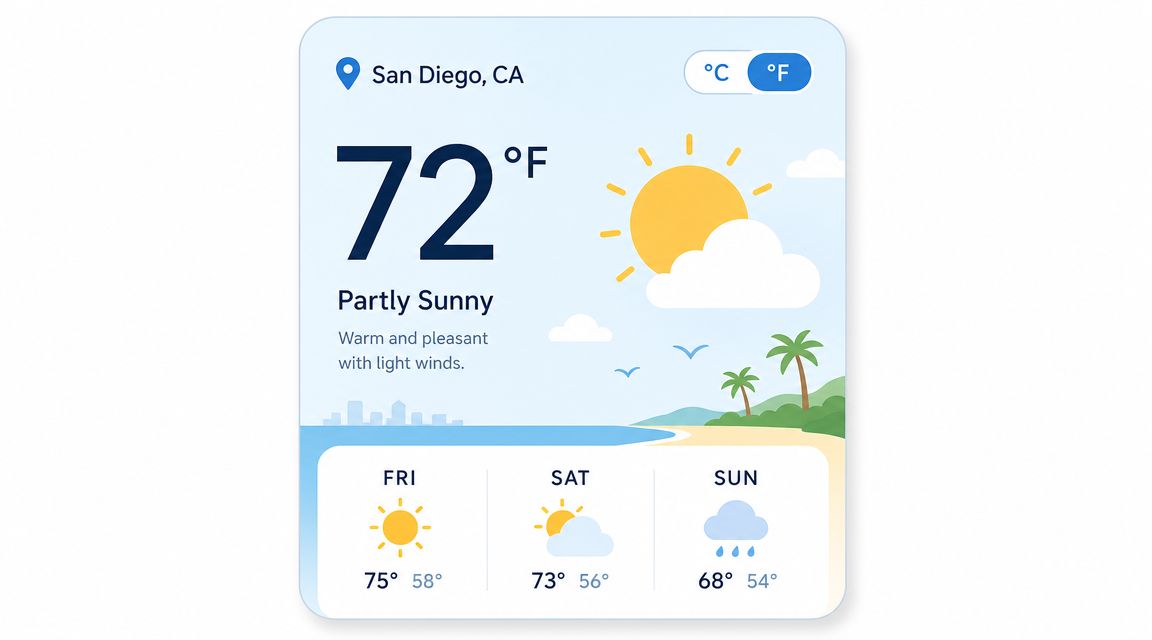
Use a public weather API and build around the full user experience, not just the happy path. Search by city, show current conditions, add a short forecast, and handle errors like invalid places or rate-limit issues gracefully. If your app fails without feedback, the project sends the wrong signal.
The startup-relevant part of a weather app isn't the weather. It's how you deal with third-party dependencies. Teams want engineers who think about missing data, response delays, caching, and API key management.
A few upgrades make this project much stronger:
If a project depends on an external API, the recruiter is also evaluating whether you understand failure, not just success.
A polished weather app can also show interface taste. Use readable typography, clear visual hierarchy, and sensible defaults like remembering the last searched city. Those details matter because startups don't separate engineering from product quality as much as larger companies do.
An expense tracker is one of the best beginner coding projects if you want to signal business sense. Startups care about builders who can structure messy information and turn it into a useful decision-making interface. That's exactly what a budget app does.
You don't need to build the next YNAB or Mint. A simple app that lets users log transactions, assign categories, filter by date, and view basic charts is enough to show solid engineering instincts. This project combines form handling, validation, persistence, and reporting in one package.
The frontend work is straightforward. The core value comes from the data model. You need to decide what a transaction looks like, how categories work, what happens with invalid amounts, and how to display trends without clutter.
That gives you room to show judgment:
This is also a great project for charting libraries like Chart.js or Recharts. Use charts only when they help interpretation. A pie chart for categories can work. A cluttered dashboard full of tiny cards usually doesn't.
If you frame the project well, you're not just saying “I know CRUD.” You're saying “I can take raw user input, model it cleanly, and present it in a way that helps someone act.”
A quiz app looks simple until you build one well. Then you realize it touches state management, timing logic, answer validation, scoring, and feedback loops. That combination makes it a useful screening project because it exposes whether you can keep business logic organized.
This project also gives you a good way to demonstrate user engagement thinking. Startups don't only care that software works. They care whether people want to keep using it. A quiz app creates a natural environment to show replayability, progression, and a sense of flow.
Store questions in JSON so the content layer is separate from the interface. Add categories or difficulty levels. Randomize answer order. Show progress clearly. Then improve the feedback after each question so the app teaches, not just scores.
Good additions include:
Codecademy's beginner project guidance points out that many beginner lists stop at familiar ideas like calculators, to-do lists, games, and scrapers, but often fail to explain which ones signal hiring-relevant skills such as shipping, product thinking, or API usage. That gap is part of why Codecademy's coding projects for beginners article is useful context for choosing projects more strategically.
The weak version of a quiz app is decorative. The strong version proves you can manage application state cleanly under changing conditions.
Search products show up everywhere in startup software. Internal tools search records. marketplaces search inventory. SaaS apps search documents, customers, or events. A movie or book search app is a beginner-friendly way to practice that pattern with familiar data.
Use TMDB or Google Books. Let users search, browse details, and save favorites. Then focus on the parts that mirror production behavior: debounced input, empty results, image fallbacks, pagination, and meaningful filters.
If every keystroke triggers a request, the app feels sloppy. Debouncing alone makes the interface feel more mature. So does preserving the search term in the URL, which lets users share and revisit results.
A few improvements go a long way:
This kind of project is stronger than it looks because startups routinely evaluate whether a candidate understands retrieval interfaces. Search products force you to think about relevance, ranking, filtering, and speed. Even in a basic version, those concerns start to appear.
If you want one project that feels both approachable and product-realistic, this is a strong pick.
A markdown note app is a smart choice if you want to build something developer-adjacent without making it too niche. It combines text input, parsing, auto-save, local persistence, and live preview. Those are practical patterns, not toy ones.
This project also stands out because it can feel useful quickly. A simple split-view editor with tags and saved notes already resembles the kind of productivity tool startups build and use internally.
Developer tools tend to reveal care. The interface has to be fast. Keyboard shortcuts matter. Saving behavior matters. Formatting behavior matters. Small paper cuts show immediately, which means the project exposes whether you notice them.
Useful upgrades:
Build at least one project that serves a real workflow you personally have. You'll make better product decisions because you'll actually feel the pain points.
Libraries like marked or remark can handle parsing. Just don't let the library do all the interesting work for you. The project is stronger when you explain your save strategy, your preview rendering approach, and any trade-offs around performance or formatting support.
This is one of the few beginner coding projects that speaks directly to engineering audiences. A GitHub profile viewer can fetch user data, display repositories, summarize languages, and present activity in a clean developer-focused interface. If done well, it shows you can work with nested API data and render it in a useful way.
The obvious trap is turning it into a vanity dashboard. Avoid that. Treat it like an information product. Make the profile readable, sortable, and useful for comparison.
Show pinned or recent repositories, repository metadata, and language breakdowns. Handle rate limiting and empty profiles. If you add comparison views between users, keep them focused and legible.
Useful touches include:
Underdog's guide on making your GitHub more impressive to employers pairs well with this project because the same principle applies to both your profile and your app: present technical work clearly, not noisily.
This project also benefits from the broader shift toward AI-assisted development. A summary of recent industry reporting notes that Stack Overflow's 2025 Developer Survey found 84% of developers use or plan to use AI tools, while JetBrains' 2026 follow-up reported regular workplace use of at least one AI tool was widespread and adoption of specialized coding assistants was also significant, according to Digital Applied's roundup of AI coding adoption statistics. The practical takeaway is simple. You can use AI to speed up scaffolding, but you still need to own the architecture, cleanup, and explanation.
An e-commerce listing page is one of the best ways to prove you can handle interface complexity. Filtering, sorting, search, carts, product cards, and responsive behavior all compete for attention. That makes the project feel much closer to production software than a simple demo app.
Start with mock JSON product data. Build the listing page, category filters, sort controls, product detail states, and a persistent cart. That's already enough to demonstrate substantial frontend skill.
A lot of startup software is not e-commerce, but it uses the same patterns. Users browse records, apply filters, compare items, and take action. If you can build a clean product listing interface, you can usually adapt that thinking to dashboards, admin tools, marketplaces, and SaaS products.
Prioritize these details:
Low-code and no-code tools have also changed how quickly people can prototype interfaces like this. Gartner projects the low-code market will reach $44.5 billion by 2026, and separate industry summaries report broad enterprise use and growing participation from people outside formal IT, according to Kissflow's low-code statistics overview. That doesn't make coding less valuable. It raises the bar for what your custom build should demonstrate: clearer logic, better UX, and stronger ownership of the details tools can't decide for you.
A product page that feels organized and responsive sends a strong message. You can manage complexity without making the user do extra work.
A chat app is ambitious for a beginner, which is exactly why it's powerful when scoped correctly. Real-time systems expose engineering weaknesses fast. Messages arrive out of order. Connections drop. Users refresh. Persistence matters immediately.
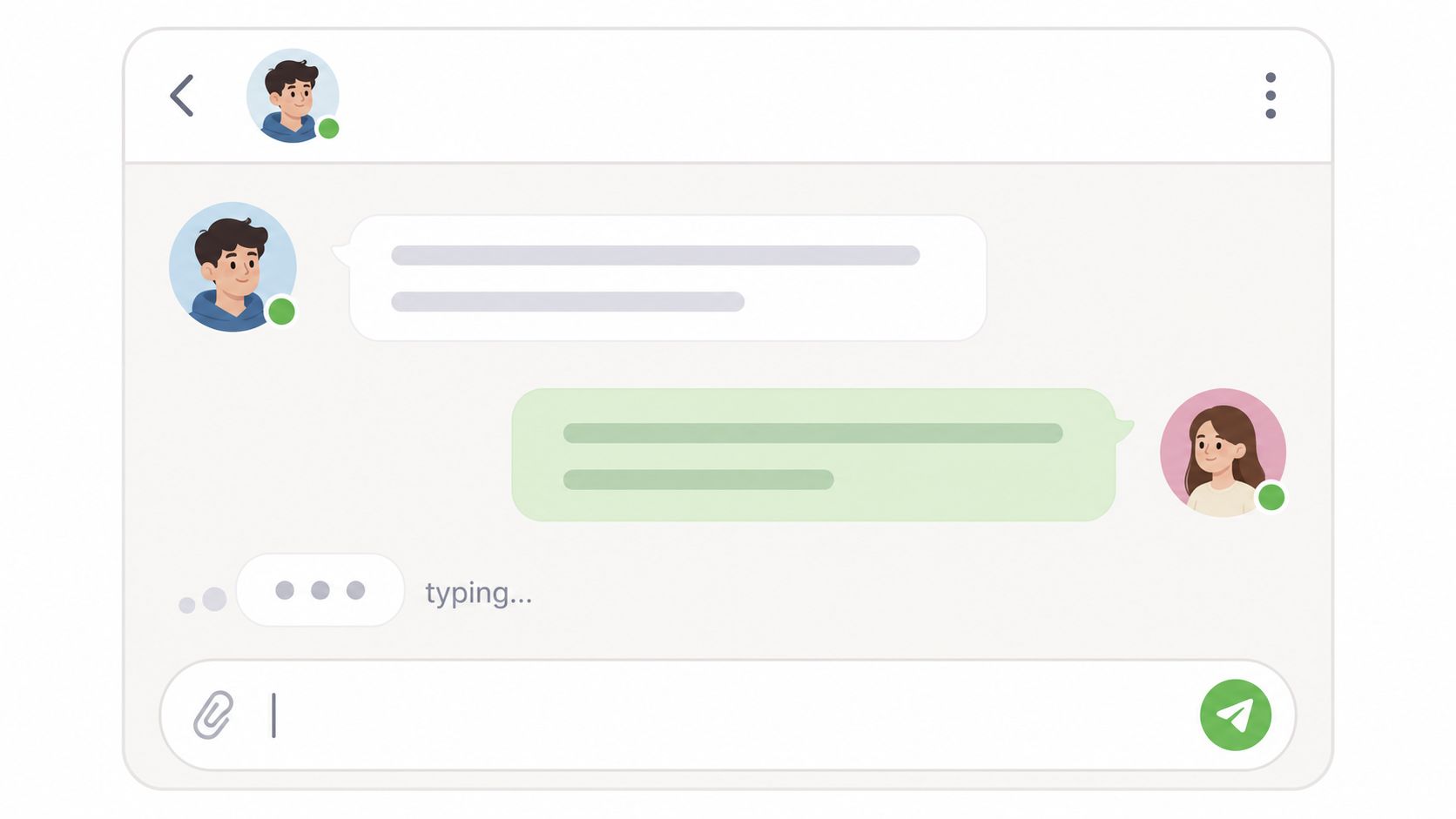
Don't start with Slack. Start with one-to-one messaging, saved conversations, timestamps, and online status. Socket.IO is a practical starting point if you're using JavaScript. If you're using another stack, keep the live functionality as small and reliable as possible.
The impressive version of this project isn't the one with the most features. It's the one where messages consistently send, persist, and reappear correctly. Typing indicators and read receipts are nice after that, not before.
Focus on the fundamentals:
A broken real-time app makes a worse impression than a polished simpler project. If you build chat, cut scope aggressively.
This project maps well to startup work because many early-stage teams build collaborative features, notifications, support tooling, or live dashboards. Even a small, stable messaging app proves you can reason about asynchronous behavior under real conditions.
| Project | Implementation complexity | Resource requirements | Expected outcomes | Ideal use cases | Key advantages |
|---|---|---|---|---|---|
| Personal Portfolio Website | Low–Medium (static to dynamic) | Domain, hosting, design assets, optional backend | Demonstrates work, improves hiring visibility | Job seekers, startup applicants, personal branding | Low cost, high impact, showcases real projects |
| Todo List / Task Management App | Low (basic) → Medium (sync/features) | Frontend framework, local storage, optional backend | CRUD mastery, UI/UX basics, deployment experience | Beginners learning end-to-end apps | Manageable scope, easily extensible |
| Weather Application | Low | Public weather API keys, async handling, UI | API integration, async programming, data formatting | Learning API calls, small portfolio widget | Quick to build, real-time feedback |
| Expense Tracker / Budget App | Medium–High | Backend, database, charting libraries, security measures | Data modeling, reporting, visualization skills | Fintech, data-driven apps, advanced portfolios | Real-world utility, scalable feature set |
| Quiz / Trivia Game | Low–Medium | Question data, frontend state, optional backend for leaderboards | Game logic, state management, engagement features | Interactive demos, UX experiments, gamified learning | Engaging, flexible scope, good for showing interactivity |
| Movie or Book Search App | Medium | External APIs (TMDB/Google Books), pagination, caching, auth optional | Advanced search/filtering, performance handling | Search/discovery features, consumer apps | Data-rich UX, shows API and optimization skills |
| Markdown Note‑Taking App | Medium | Markdown libraries, editor UI, storage/sync, syntax highlighting | Text processing, live rendering, state sync | Developer tools, productivity apps | Demonstrates developer-focused UX and parsing |
| GitHub User Profile Viewer | Low–Medium | GitHub REST/GraphQL, API tokens, caching, pagination | API auth, nested data handling, developer-focused UI | Developer-centric portfolios, tooling demos | Shows GitHub fluency, real developer data |
| E‑Commerce Product Listing Page | Medium–High | Product data, state management, backend and DB for persistence, payment integration | Complex filtering, cart flows, conversion-oriented UI | E‑commerce, marketplaces, product teams | Demonstrates business logic and scalable UX |
| Real‑time Chat / Messaging App | High | WebSocket/Socket.IO server, backend storage, auth, real-time infra | Real-time sync, presence, complex state coordination | Communication/collaboration products, teams | Teaches real-time architecture and synchronization |
Beginner coding projects matter because they solve the credibility problem. Lots of candidates can say they know Python, JavaScript, React, or SQL. Fewer can point to a live app, explain how it works, describe what they'd improve next, and show that they finished it.
That's the shift you should aim for. Stop thinking in terms of “practice projects” and start thinking in terms of evidence. A calculator, to-do app, or search interface can absolutely help you get hired if it's polished, deployed, documented, and framed well. A more complex app can hurt you if it's unreliable, vague, or obviously unfinished.
The practical path is simple. Pick one project from this list that matches your current level. Build the smallest complete version. Deploy it. Write a short README that explains the problem, stack, setup, and trade-offs. Then improve one layer at a time: better UX, stronger validation, cleaner architecture, or more thoughtful error handling.
A portfolio gets stronger when the projects show range. One app can prove frontend fundamentals. Another can show API integration. Another can show persistence, reporting, or real-time behavior. You don't need endless variety. You need a few examples that are complete enough to review and specific enough to discuss in an interview.
That also makes resume writing easier. Instead of claiming “experience with React and APIs,” you can point to a weather app with loading states and cached lookups, or a search product with debounced queries and favorites persistence. Instead of saying “interested in product thinking,” you can point to decisions you made about user flow, validation, and scope. If you need help packaging that work, an AI resume builder can help you present projects more clearly, but the underlying project quality still has to be there.
Once you have a few polished projects, put them where startup teams can find them. Underdog.io is one option that's directly relevant here because it's a curated hiring marketplace focused on startups and high-growth tech companies, and that kind of environment tends to reward demonstrated ability over vague claims. If your projects are clear, live, and thoughtfully presented, they give people a concrete reason to reach out.
The biggest mistake is waiting for a perfect idea. You don't need one. You need momentum, finished work, and enough judgment to know when a project is ready to show. Start small. Finish something. Then make the next project slightly more ambitious.
If you've built a few solid projects and want to put them in front of startup hiring teams, create a profile on Underdog.io. It's a straightforward way to get your work seen by companies that care about what you can build.