

Read Time: 7 min read
Your resume lists what you've done, but a portfolio shows how you think. In the competitive startup world, hiring managers need more than bullet points; they need tangible proof of your product sense, strategic thinking, and ability to execute. This is where a compelling portfolio becomes your most critical career asset. It visualizes your unique process, from identifying a user problem to launching a solution and measuring its impact.
A strong portfolio is a narrative that demonstrates your value. It’s your best tool for proving you can navigate ambiguity and drive results, which is exactly what high-growth companies are looking for. To effectively demonstrate your value to startups, understanding and highlighting your role in the product discovery process is essential for your portfolio. It separates you from other candidates by showcasing not just the what, but the why and how behind your product decisions. A well-crafted presentation of your work offers concrete evidence of your skills.
This guide moves beyond theory to provide a practical breakdown of seven real-world product manager portfolio examples and the platforms used to build them. We will analyze what makes each one effective, dissecting their structure, storytelling, and presentation of measurable impact. Each entry includes screenshots, direct links, and actionable takeaways, giving you a replicable blueprint to build a portfolio that truly stands out to top-tier startups and gets you hired.
For product managers who prioritize substance over style and need to get a portfolio live quickly, the Notion Template Gallery is an invaluable resource. Instead of starting from scratch with a website builder, Notion offers a "duplicate and deploy" approach. You can find pre-built, community-vetted templates specifically designed for PMs, allowing you to focus immediately on content rather than complex design or coding.
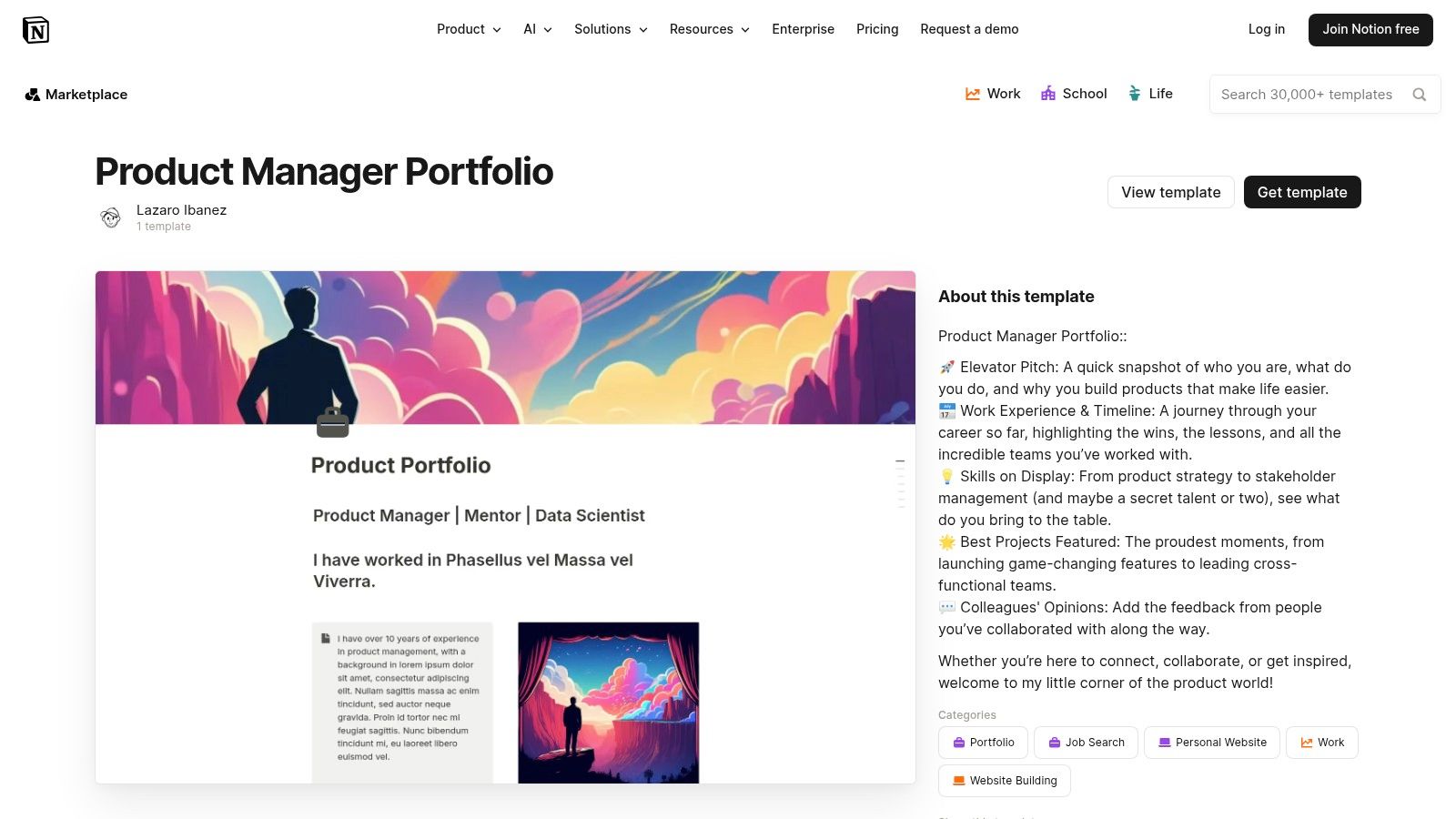
This platform stands out for its sheer efficiency. Many templates are free or very low-cost, making it one of the most accessible options available. The user experience is native to anyone familiar with Notion; you simply find a template you like, click duplicate, and it's instantly added to your private workspace for editing. From there, you can publish it to the web with a single click, generating a shareable link.
Notion’s core strength is its text-first, database-driven structure, which perfectly mirrors how many PMs already work. You can create detailed case studies, link them to a master project database, and embed artifacts like Figma prototypes or Loom videos directly into the page. This creates a rich, interconnected narrative that demonstrates your process from problem discovery to impact measurement.
Key Takeaway: Use Notion to build a portfolio that reflects your actual PM workflow. The platform excels at showing process, documentation, and cross-functional collaboration, which are highly valued by hiring managers at startups.
The main drawback is aesthetic limitation. While you can customize icons, headers, and layouts to a degree, a Notion page will rarely look as polished as a custom-built website on Webflow or Framer. However, for many startup roles, demonstrating clear thinking and measurable results is far more important than design prowess.
Here’s how to leverage a Notion portfolio template effectively:
This platform provides a fast, functional, and PM-friendly way to create one of the most effective types of product manager portfolio examples without getting bogged down in technical setup.
Website: Notion Product Manager Portfolio Templates
For product managers seeking a broader range of styles beyond a single platform, Gumroad serves as a vibrant marketplace. It hosts a diverse collection of portfolio templates created by practicing PMs, offering formats from Notion pages and slide decks (PPT/Keynote) to simple HTML sites. This variety allows you to pick a template that not only fits your content but also aligns with the culture of the companies you're targeting.
Gumroad stands out for its accessibility and practicality. Many high-quality templates are available for free or under a "pay-what-you-want" model, making it an extremely low-risk way to find a foundation for your portfolio. The user experience is straightforward: you find a product, purchase or download it, and receive the digital files (like a Notion link or a ZIP folder) instantly. This creator-driven ecosystem means you get access to battle-tested layouts that have helped other PMs land jobs.
Gumroad’s core strength is its diversity, providing solutions for different portfolio philosophies. You can find minimalist Notion templates for text-heavy process walkthroughs, or polished slide decks perfect for presenting in a final-round interview. This flexibility is crucial because it lets you match your portfolio's format to the story you want to tell and the audience you're addressing, a key consideration often overlooked in the job search.
Key Takeaway: Use Gumroad to find a template that directly reflects the type of PM you are. A data-driven PM might choose a concise, metric-focused slide deck, while a design-oriented PM might opt for a more visual HTML template.
The primary drawback is the variability in quality. Since Gumroad is an open marketplace, you need to vet each template and creator. Look for reviews, detailed product descriptions, and live previews before committing. However, this small effort often pays off by uncovering unique and effective product manager portfolio examples that aren't widely circulated.
Here’s how to find and use a Gumroad template effectively:
This platform offers a fast and affordable way to acquire a job-ready portfolio structure, allowing you to focus your energy on crafting compelling case studies rather than on design and development.
Website: Gumroad
While originally built for UX designers, UXfolio is a powerful and structured platform that product managers can leverage to build clean, professional case studies quickly. It provides a guided, template-driven experience that removes the friction of web design, allowing PMs to concentrate entirely on crafting compelling narratives around their projects. Its core value is its scaffolding, which nudges you to structure your stories in the classic problem-approach-results format hiring managers look for.
This platform excels at speed and clarity. UXfolio's web-based builder includes content prompts and mockup frames, helping you visualize and articulate your process without needing separate design tools. With built-in hosting, you can go from zero to a live, shareable portfolio in a single afternoon. A free tier is available to get started, with paid plans unlocking more projects and advanced features, making it an accessible option for creating a high-quality portfolio.
UXfolio’s greatest strength for a PM is its focus on the case study format. The platform is inherently designed to help you tell a story, prompting you to outline the challenge, explain your research, detail the solution, and showcase the impact. This structure forces a level of discipline that prevents you from creating a portfolio that is just a gallery of final screens. It pushes you to articulate the "why" behind every decision.
Key Takeaway: Use UXfolio when your primary goal is to present clear, linear case studies that showcase your problem-solving process. The platform is ideal for PMs who want to demonstrate their user-centricity and data-informed decision-making in a format that mirrors a design-thinking framework.
The primary limitation is its relative inflexibility compared to a custom website. You are working within the platform's templates, which can make your portfolio look similar to others built on UXfolio. However, for many startup hiring managers, a well-structured story is more impressive than a unique design. While the platform has faced some user complaints about reliability in the past, it remains a fast path to a professional-looking portfolio. As with any tool, it's wise to research its current status before relying on it for active interviews.
Here’s how to create a standout PM portfolio using UXfolio:
This platform streamlines the creation process by providing the structure needed to tell a compelling, impact-driven story.
Website: UXfolio
For product managers who want a dedicated portfolio website without the steep learning curve of a full-fledged builder, portfolio.dev offers a perfect middle ground. It's a lightweight, hosted platform specifically designed for tech professionals, including PMs, developers, and designers. This focus means its features and layouts are already optimized for presenting case studies and projects in a clear, professional format.
This platform excels at providing a simple, fast setup. You can get a professional-looking site live in under an hour, a significant advantage over more complex tools. It offers a generous free plan that includes up to three projects, making it accessible for those just starting out. The Pro plan unlocks unlimited projects and adds valuable features like analytics, allowing you to see who is viewing your portfolio and which projects get the most attention.
The core strength of portfolio.dev is its structured simplicity. The platform guides you through creating project pages with pre-defined sections for problem, solution, and outcomes, which aligns perfectly with the STAR (Situation, Task, Action, Result) method of storytelling. This structured approach ensures your case studies are coherent and hit all the key points a hiring manager looks for, making it a practical option for those prioritizing clarity.
Key Takeaway: Use portfolio.dev to create a clean, professional, and easy-to-navigate portfolio that gets straight to the point. Its built-in analytics can provide valuable feedback on which case studies are resonating most with viewers.
The main trade-off is limited customization. You won't have the granular design control offered by Webflow or Framer, as you are working within a set of pre-designed layouts. However, for many PMs, especially those targeting roles where process and impact are more important than visual flair, this limitation is a benefit, as it prevents getting lost in design details and keeps the focus squarely on the content.
Here’s how to leverage portfolio.dev for maximum impact:
This platform provides a focused, low-overhead way to build and host a portfolio that looks professional and effectively communicates your value as a product manager.
Website: portfolio.dev
For product managers aiming for a highly polished, professional online presence, the Webflow Templates Marketplace offers a powerful middle ground between simple page builders and fully custom-coded sites. It allows PMs to leverage professionally designed templates within a sophisticated visual builder, resulting in a portfolio that looks bespoke without requiring any coding knowledge. This approach is ideal for those who want full brand and layout control.
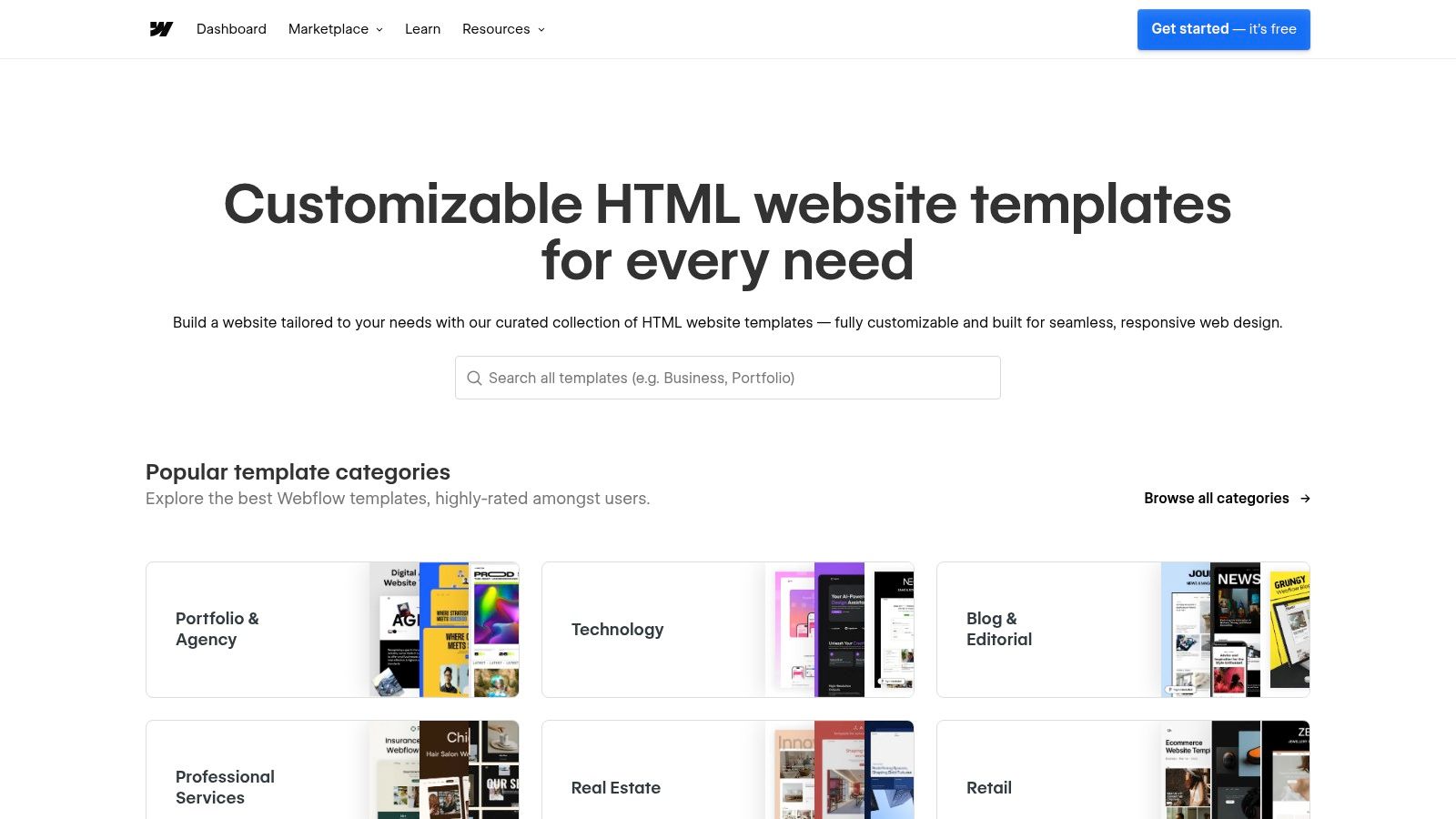
Webflow stands out by providing unparalleled design flexibility. Unlike more constrained platforms, you can find a template that’s 90% of the way there and then use the visual editor to tweak every detail to match your personal brand. While there's a steeper learning curve than Notion, the platform’s "University" and community resources are excellent. Costs typically involve a one-time template purchase (ranging from free to over $100) plus optional Webflow hosting fees.
Webflow's core advantage is its ability to blend high-end aesthetics with dynamic content management through its CMS. This means you can create a collection of case studies, and Webflow will automatically generate a beautiful, consistent project page for each one. This structure allows you to present your work in a visually compelling narrative that guides the hiring manager through your accomplishments, making it an impressive way to showcase your projects.
Key Takeaway: Use Webflow when visual storytelling is paramount to your brand. It’s perfect for PMs in design-centric or consumer-facing industries where demonstrating an eye for user experience through your portfolio itself adds a layer of credibility.
The primary trade-off is the initial time investment. You'll need to learn the Webflow interface, which is more complex than a simple document editor. However, this effort pays off by granting you complete creative freedom over how you present your projects and professional journey.
Here’s how to get the most out of a Webflow template for your portfolio:
Webflow empowers you to build a portfolio that not only documents your work but also serves as a testament to your product sense and attention to detail.
Website: Webflow Templates Marketplace
For product managers seeking inspiration on visual storytelling and case study structure, Behance is an endless, free-to-browse gallery. While traditionally known as a platform for designers, a growing number of product managers and strategists use it to host highly visual, in-depth case studies. It’s less of a tool to build your portfolio and more of a library to benchmark against.
This platform stands out as an idea-generation engine. Instead of providing templates, it offers thousands of real-world portfolio examples, allowing you to see how others frame problems, present data, and showcase their process. The user experience is straightforward: search for terms like "product management case study" or "UX strategy" and filter through a massive collection of projects.
Behance’s core strength is its emphasis on visual narrative. Unlike text-heavy platforms, projects on Behance often use custom graphics, user flow diagrams, and annotated screenshots to guide the reader through a project's lifecycle. This format forces you to think like a designer, presenting your PM work as a compelling, easy-to-digest story rather than a dry document. You can analyze how others structure their projects from discovery and research to final impact metrics.
Key Takeaway: Use Behance to master the art of visual storytelling in your portfolio. Learn how to present complex PM processes and data in a way that is engaging and immediately understandable, a skill highly valued in product-led companies.
The primary drawback is the variability in quality and relevance. Many projects are heavily UX/UI-focused, so you'll need to sift through them to find those that truly articulate the strategic and business aspects of product management. You cannot simply copy-paste a structure; you must adapt the best elements to fit your own narrative and toolset (like Figma, Canva, or a website builder).
Here’s how to leverage Behance for portfolio inspiration effectively:
Behance provides a rich, free source of inspiration, helping you find compelling portfolio examples that can elevate your own presentation from a simple document to a powerful story.
Website: Behance
Product School is less a portfolio-building platform and more of a strategic resource hub for understanding what to include in your portfolio. It’s an educational brand that provides free templates, guides, and curated breakdowns of successful portfolios. For PMs who feel stuck on content and storytelling, Product School offers the foundational knowledge needed to craft compelling case studies before choosing a hosting platform.
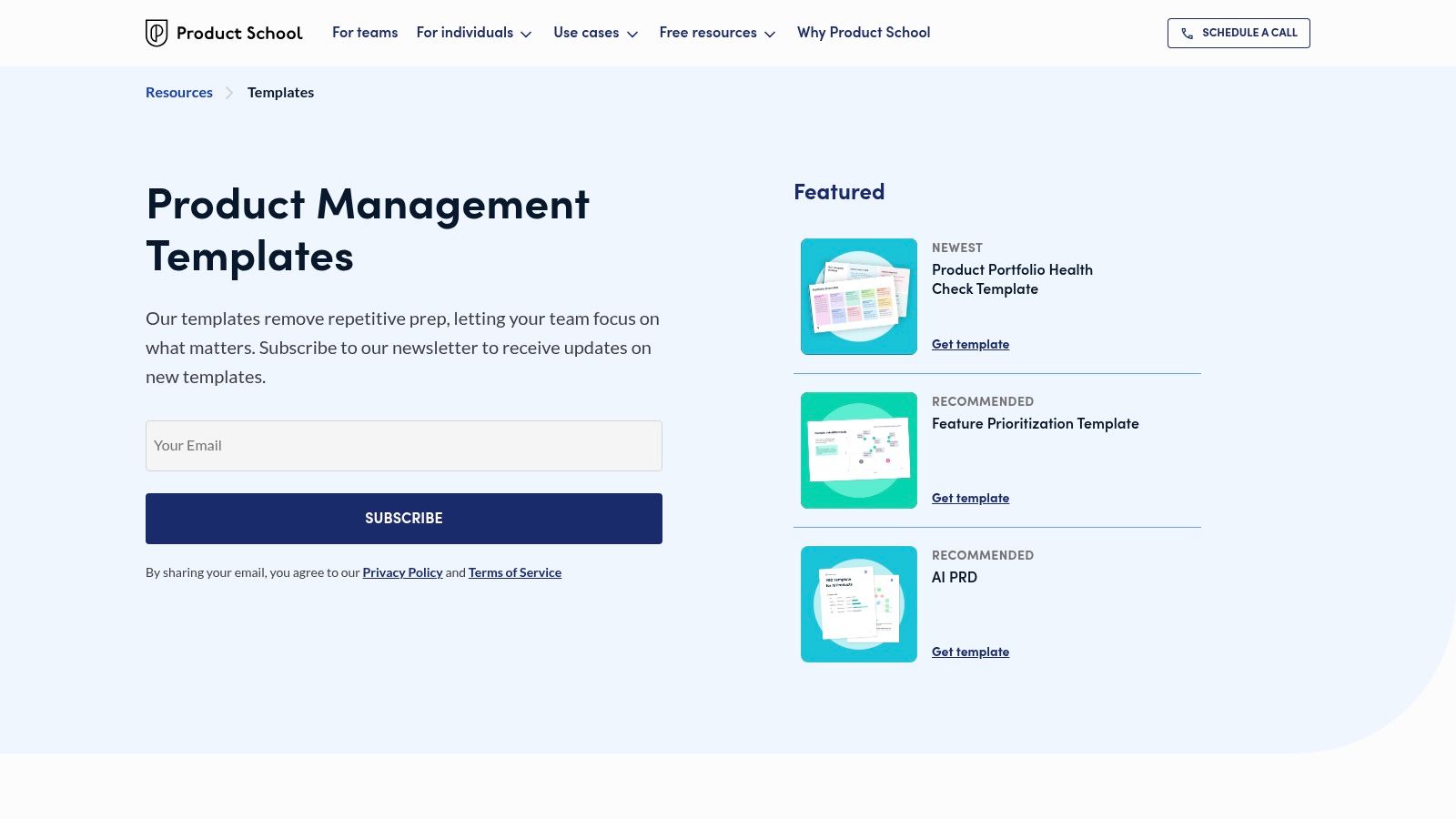
This resource stands out by focusing on the artifacts that support a strong portfolio narrative. Instead of just showing finished portfolios, it provides the actual templates for things like strategy documents, product health checks, and user journey maps. This allows you to reverse-engineer your case studies using industry-standard documentation, adding a layer of authenticity that hiring managers appreciate. Access to most resources is free but often requires an email subscription.
Product School’s strength is its emphasis on the PM craft itself. By providing templates for key deliverables, it encourages you to build your portfolio around the tangible outputs of your work. This is a powerful way to demonstrate not just the results of a project, but your structured thinking and communication skills throughout its lifecycle. A case study supported by a well-crafted PRD or a detailed roadmap speaks volumes about your capabilities.
Key Takeaway: Use Product School's templates as the building blocks for your case studies. Instead of just writing about your process, showcase the actual documents you would create, which serves as powerful evidence of your skills for startup hiring managers.
The main drawback is that it's not a hosting solution. You will still need to use a tool like Notion, Webflow, or another website builder to publish your portfolio. However, the guidance it provides on content creation is an invaluable first step that ensures the final product is substantive and aligned with industry expectations, which is a key part of your overall product manager interview preparation.
Here’s how to leverage Product School's resources effectively:
This library of resources is an excellent starting point for any PM looking to build one of the more comprehensive and evidence-backed product manager portfolio examples.
Website: Product School Templates
We’ve dissected a variety of powerful portfolio examples, from the flexible canvases of Notion to the structured showcases on UXfolio and the community-driven galleries on Behance. Moving from inspiration to action is the critical next step. The goal isn't to perfectly replicate any single example but to synthesize the most effective strategies and apply them to your unique career narrative.
Across every successful portfolio, a clear pattern emerges. They don’t just list accomplishments; they tell a compelling story about solving meaningful problems. They prove, rather than just state, their ability to drive results in a real-world, often ambiguous, startup environment.
As you start building, keep these fundamental takeaways at the forefront of your process. These principles are the common thread connecting the most effective portfolios we analyzed:
The tool you choose is secondary to the story you tell. Your decision should align with your goals, timeline, and technical comfort level.
No matter the platform, your primary focus should be on quality over quantity. Select two or three of your most impactful projects and transform them into detailed case studies. Each one should stand as a testament to your ability to navigate complexity, lead a team, and deliver measurable results. While our focus has been on product management, understanding how designers frame their problem-solving process can be incredibly insightful. To gather even more ideas for showcasing your work, consider these inspiring web design portfolio examples that focus on winning clients and strategic problem-solving.
Ultimately, your portfolio is more than a collection of past work; it’s a strategic tool designed to open doors. It's your advocate in rooms you haven't entered yet, proving your value to the startup founders and hiring managers you want to work with. By focusing on a clear, data-backed narrative, you are not just showcasing your resume-you are demonstrating your potential to be a future product leader.
A portfolio provides tangible proof of your product sense, strategic thinking, and ability to execute—things a resume can only hint at. It visualizes your unique process, from identifying a user problem to launching a solution and measuring its impact. In the competitive startup world, hiring managers need to see not just what you did, but the "why" and "how" behind your decisions.
Each case study should tell a clear story. Start with the Problem Statement and your specific Role. Detail your Process—how you discovered user needs, validated ideas, and made trade-offs. Crucially, quantify the Impact with metrics (e.g., "increased activation by 15%"). Finally, include a Reflection on what you learned or would do differently.
The "best" platform depends on your goals. Notion is ideal for quickly creating a text-first, process-focused portfolio that mirrors how PMs work. Webflow offers the most design control for a highly polished, custom site. UXfolio and portfolio.dev provide structured, template-driven experiences that prioritize clarity and speed. Gumroad is a marketplace for finding unique, affordable templates across formats.
While a design portfolio showcases final visuals and UI skill, a PM portfolio emphasizes strategy, process, and business outcomes. It should feature artifacts like roadmaps, PRD excerpts, and metric dashboards alongside product visuals. The goal is to demonstrate how you led cross-functional teams to solve user problems and achieve company goals.
Absolutely. A well-structured slide deck (in Keynote, PowerPoint, or Google Slides) can be a powerful format, especially for presenting in final-round interviews. It allows you to control the narrative flow and present case studies in a concise, presentation-ready format. The key is to treat each slide as part of a cohesive story.
Don't just describe features; focus on the problem and impact. Avoid making it a "wall of text"—use visuals, headers, and toggles for scannability. Never include confidential information without permission. Most importantly, don't skip the reflection. Showing what you learned demonstrates the growth mindset startups value.
Ready to put your new portfolio to the test? Underdog.io connects talented tech professionals like you with top startups in NYC, San Francisco, and remote roles. Stop searching and let curated opportunities find you. Sign up on Underdog.io in minutes and see which innovative companies want to see your work.


